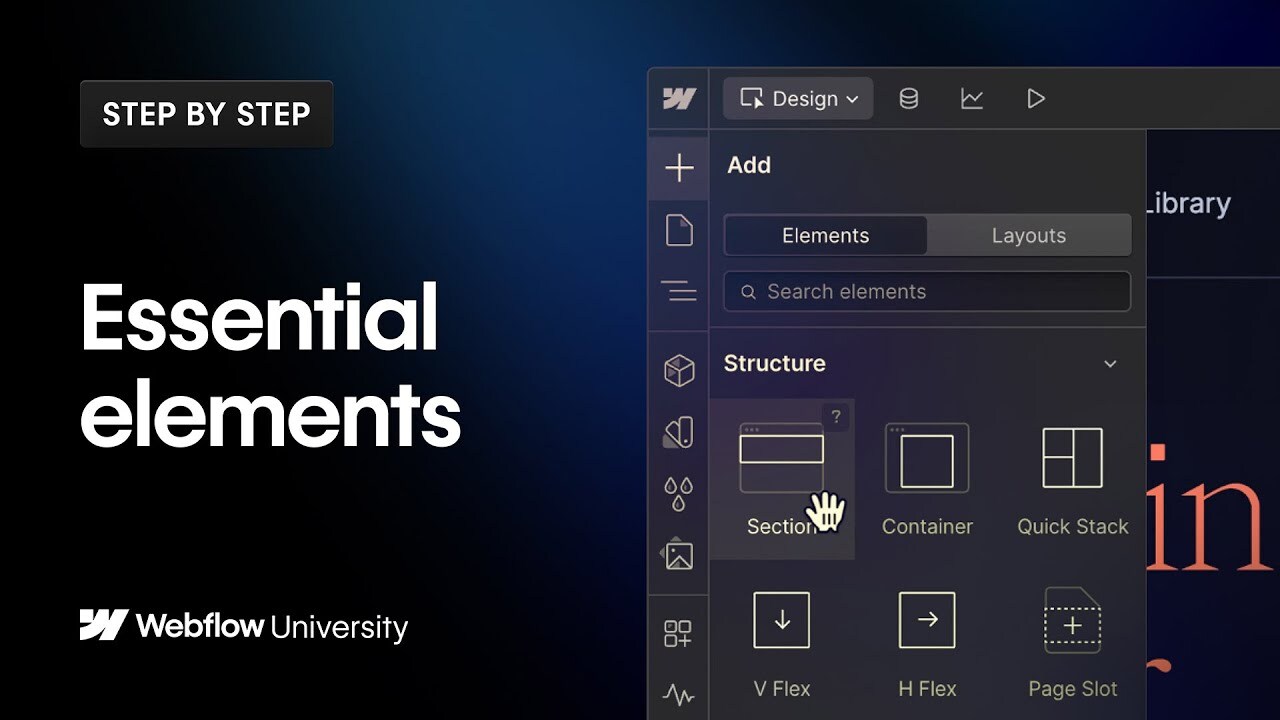

Start with a blank canvas and learn how to build a complete webpage structure in Webflow - from sections and containers to forms, buttons, and advanced elements like navbars and search.
In this beginner-friendly tutorial, we'll walk you through using the Add panel to place and configure elements for accessibility and responsiveness.
00:00 - Introduction
00:24 - Structure elements: section, container, quick stack
00:51 - Basic & typography elements: div, heading, paragraph, button
02:14 - Media elements: images, video embeds and more
02:57 - Form elements: input fields, success states, redirects and more
03:48 - Advanced: navbar, search, and code embeds
04:52 - Tips & shortcuts: starter layouts, Webflow AI Assistant, and more
----------
Get started with Webflow: https://wfl.io/2r7cVUW
Join the Webflow Community: https://webflow.com/community
https://webflow.com
https://twitter.com/webflow
https://www.instagram.com/webflow
https://facebook.com/webflow