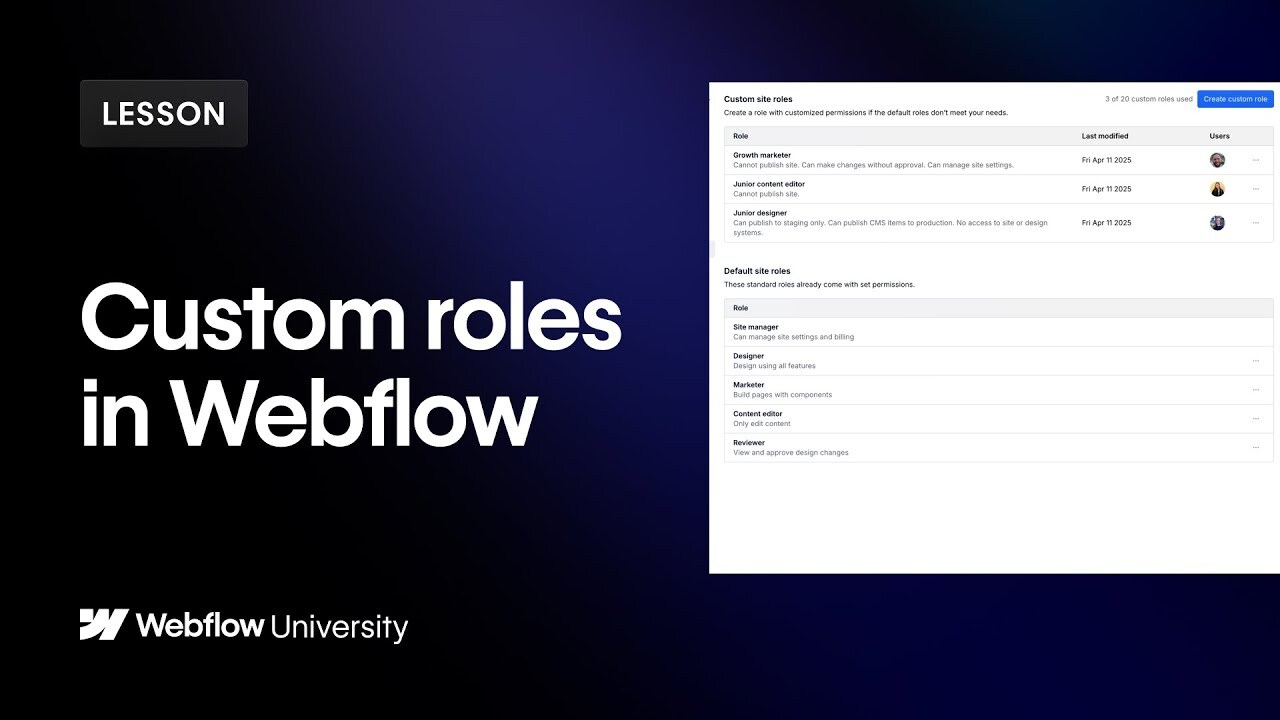

Webflow Enterprise allows you to go beyond default roles. In this video, we'll walk you through how to create custom roles that tailor access for each team member-from marketers to designers to stakeholders. We'll cover how to customize permissions, assign roles, and build safer workflows to collaborate at scale. Whether you're setting up a new workspace or tightening access across a growing team, custom roles help you move faster without compromising control.
00:00 - Introduction
00:34 - Create a new custom role
02:20 - Assign the new role to a member
02:40 - Example 1 (Junior designer)
03:23 - Example 2 (Growth marketer)
03:58 - Example 3 (Junior content editor)
04:49 - Recap
----------
Get started with Webflow: https://wfl.io/2r7cVUW
Join the Webflow Community: https://webflow.com/community
https://webflow.com
https://twitter.com/webflow
https://www.instagram.com/webflow
https://facebook.com/webflow